HomeBuy Crypto GuideBuy NEOCLOUD
Reserve AI Capacity & Neocloud DTF (NEOCLOUD)

How to Buy Reserve AI Capacity & Neocloud DTF (NEOCLOUD) on LBank

Learn how to buy Reserve AI Capacity & Neocloud DTF (NEOCLOUD) on LBank, including payment methods such as credit cards, debit cards, Apple Pay, and bank transfers, as well as the purchase process, preparations, and FAQs.

Step 1
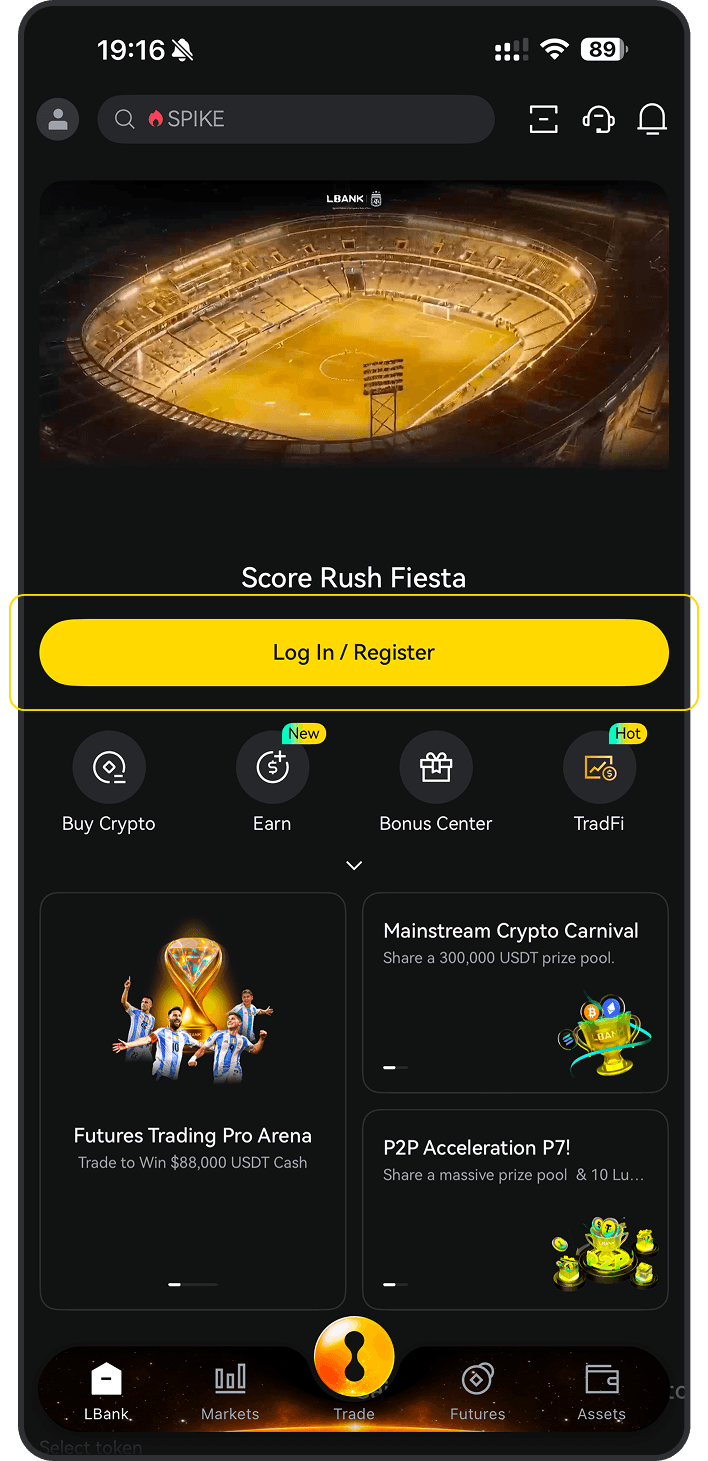
Download the LBank App
Please download the LBank App and register to get started
Step 2
Fund your account
Deposit using your preferred payment method.
Step 3
Choose your cryptocurrency
Select the crypto you want to buy from over 3,000,000 cryptocurrencies available on LBank Exchange or Wallet.

Purchase Decision Overview

Credit / Debit Card

Fee
Variable Fees
Processing Time
Usually within 1 minute, up to 48 hours
Minimum Purchase Amount
Starting from approx. 10–15 USD
Supported Regions
Subject to region, fiat currency, issuing bank, and payment channel support
Bank Transfer / Local Transfer

Fee
Variable Fees
Processing Time
Depends on the payment method; some local channels may be faster
Minimum Purchase Amount
Starting from approx. 1–10 USD
Supported Regions
Subject to local payment channel support
Three Simple Steps to Buy NEOCLOUD on LBank
1
Register an LBank account
Register with your email or mobile number and complete the basic information. If you already have an account, log in directly.
Sign up
2
Complete Identity Verification (KYC)
Once your identity is verified, you can access trading, withdrawals, and other features to enjoy LBank’s crypto service!
Verify
3
Select a Payment Method and Buy NEOCLOUD
Select a payment method such as credit card, bank transfer, or Apple Pay, enter the amount, confirm the order, and buy with one click.
Buy Now
Register an LBank account

How to Buy NEOCLOUD on LBank: Payment Methods Overview

Explore the available payment methods for buying NEOCLOUD on LBank, including credit card, debit card, bank transfer, Apple Pay, Google Pay, PayPal, and P2P, to quickly choose the most suitable way to buy NEOCLOUD.

Credit / Debit Card
Credit / Debit Card
Processing TimeUsually within 1 minute; up to 48 hours
Use a Visa/Mastercard that supports international online transactions and ensure 3D Secure is enabled; if it fails, try a different card or try again later
Common Reasons for Failure: The issuing bank declined the cryptocurrency transaction; insufficient balance; 3D Secure verification failed; risk control interception; or region/card network not supported
Bank Transfer / Local Transfer
Processing TimeInstant or 1–3 Business Days
Verify the receiving account, reference code, and transfer network, and use a bank account consistent with your identity verification
Common Reasons for Failure: Incorrect receiving information or reference code; name mismatch; bank processing delay; or unsupported transfer network

What Do You Need to Prepare Before Buying Reserve AI Capacity & Neocloud DTF (NEOCLOUD) on LBank?

Check the preparations required before buying Reserve AI Capacity & Neocloud DTF (NEOCLOUD) on LBank, including account registration, identity verification (KYC), payment methods, regional availability, and pre-purchase precautions to help you smoothly complete the BTC purchase process.

Suitable for
Users who want to quickly buy NEOCLOUD with fiat
Before You Buy: Checklist
Register and log in to your account
Complete required KYC
Prepare payment method
Confirm regional availability,Check limits / fees / processing time
User Path
Buy Crypto
One-Click Buy

How to Buy Reserve AI Capacity & Neocloud DTF (NEOCLOUD) on LBank – Step-by-Step Guide

Before you begin, decide how you’d like to pay:

Pay with fiat

If you're new to crypto, using fiat currency (such as USD, EUR, etc.) is the easiest way to buy Reserve AI Capacity & Neocloud DTF (NEOCLOUD). LBank supports various payment methods, including debit cards, credit cards, bank transfers, and other local payment options where available. You may need to fund your LBank account before making a purchase.

Pay with other cryptocurrencies

If you already hold other cryptocurrencies, you can trade them for Reserve AI Capacity & Neocloud DTF (NEOCLOUD) on LBank. Please make sure that LBank supports the trading pair you need (e.g., Bitcoin (BTC)). LBank offers a wide range of trading pairs, allowing you to conveniently convert your existing crypto into Reserve AI Capacity & Neocloud DTF (NEOCLOUD).

LBank supports multiple payment methods

You can use the following payment methods to purchase Reserve AI Capacity & Neocloud DTF (NEOCLOUD) on LBank:
Debit card
Credit / Debit Card
Paypal
Apple Pay
Google Pay

Mobile app guide

1
Open the LBank mobile app and tap “Buy Crypto”
2
Select “Buy”
3
Choose , enter the fiat currency you want to use, input the amount, then tap “Buy” or “Confirm”

Desktop guide

1
Log in to LBank on your desktop browser and click the “One-Click Buy” option.
2
Under the “One-Click Buy” tab:
(a). Choose the fiat currency you want to use
(b). Select the Reserve AI Capacity & Neocloud DTF (NEOCLOUD) you want to purchase
(c). Enter an amount or use quick-select options (e.g., 100, 200, 500, max)
(d). Choose your payment method
(e). Click “Confirm” or “Buy now”

P2P Trading

Buy Sell
Merchant
Price
Amount | Limit
Payment Method
Action
0.990 USD
350.00 USDT
50.000 - 346.000USD
Bank Transfer
0.991 USD
625.56 USDT
10.000 - 619.000USD
Bank Transfer
0.999 USD
18.79 USDT
1.000 - 18.771USD
Air TM

What is Reserve AI Capacity & Neocloud DTF?

The Reserve AI Capacity & Neocloud DTF (NEOCLOUD) is a weighted basket of public, US-listed neocloud and AI data-center companies at the center of the AI buildout. Building an AI data center costs billions, so most companies that need AI computing rent it instead: a new industry of neoclouds and power-rich data-center operators raises the capital, secures the power, and rents out compute by the hour. The NEOCLOUD DTF gives you direct exposure to the companies turning capital, silicon, and electricity into the compute everyone needs: the GPU-cloud operators and the power-rich sites that host them. The basket is composed of companies that generate significant revenue from AI compute demand, weighted by market capitalization with a 20% cap and a $10B minimum market cap, rebalanced quarterly. The NEOCLOUD DTF bundles Ondo Global Markets tokenized stocks, each of which represents an actual share held in a regulated US brokerage account. Learn more at app.reserve.org.

Is Reserve AI Capacity & Neocloud DTF (NEOCLOUD) a good investment?

Whether Reserve AI Capacity & Neocloud DTF (NEOCLOUD) is a good investment depends on your personal financial situation and risk tolerance. Cryptocurrency investments are speculative and can be highly volatile.

Before investing in Reserve AI Capacity & Neocloud DTF (NEOCLOUD) or any cryptocurrency, consider the following:

Your financial goals
Are you seeking short-term gains or long-term growth?
Your risk tolerance
How much potential loss are you comfortable with?
Diversification
Don’t put all your eggs in one basket. Spread your investments across different types of assets.
Your goals and time horizon
Cryptocurrencies are best suited for long-term investors. Disclaimer: This is not financial advice. Please do thorough research before making any investment decisions.

Crypto Calculator

I will spend
I will receive
1 BITCOIN vs -- USD

Buy Reserve AI Capacity & Neocloud DTF (NEOCLOUD)

NEOCLOUD / USDT
$79.30513
+7.18%24H
Today's real-time price of Reserve AI Capacity & Neocloud DTF (NEOCLOUD) is $79.30513, with a 24-hour trading volume of $10,223.35. We update NEOCLOUD to USD price in real-time. The 24-hour market performance of NEOCLOUD is
+7.18%
View Reserve AI Capacity & Neocloud DTF (NEOCLOUD)

Planning to buy NEOCLOUD?

See if other users are buying NEOCLOUD:
Yes
No

Buying Reserve AI Capacity & Neocloud DTF (NEOCLOUD) in other countries?

No matter where you are, as long as you can use LBank, you can easily buy Reserve AI Capacity & Neocloud DTF with the lowest fees and the highest security. Select your country in the search box below to start buying Reserve AI Capacity & Neocloud DTF in your preferred location:
Select country/region

Payment Method

FAQ
Hot TopicsAccount Deposit/WithdrawActivitiesFutures
    default
    default
    default
    default
    default